KOL Audits: Social Metrics VS On-Chain Performance
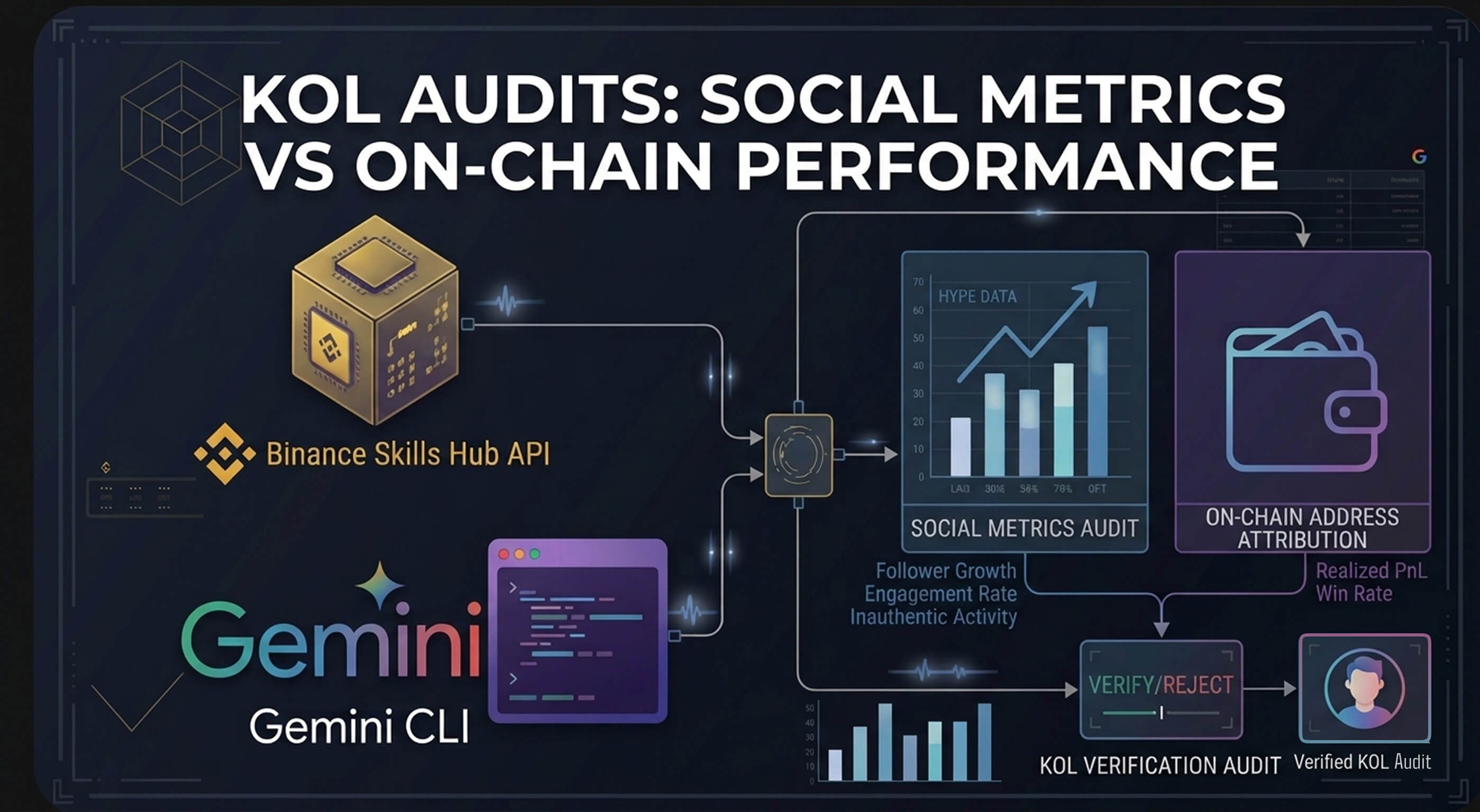
To ensure ROI in Web3 marketing, analysts must move beyond social metrics to on-chain attribution. By configuring a local research loop using the Binance Skills Hub and Gemini CLI, marketers can query the address-pnl-rank API to identify KOLs with high win rates and realized profits. This agentic workflow enables real-time monitoring of "KOL Wallets," allowing teams to verify if an influencer's on-chain activity aligns with their public endorsements.
It also signals maturity where you think beyond social metrics and understand if KOL'ss have skin in the game (if not for your token, then at least in the chain or are good at trading). By studying KOL PnL, you can get a solid idea about the KOL's performance history and if their performance lives up to the talk.
Of course, your KOLs can also be classified into educational/awareness ones and token hype ones. For the former, social metrics may suffice while for the latter, you definitely want to know their history.
Binance Skills Hub > Crypto Market Rank API has exactly this to help narrow down your research. https://github.com/binance/binance-skills-hub/blob/main/skills/binance-web3/crypto-market-rank/SKILL.md
How to setup Binance Skills Hub: https://scalolabs.com/blog/web3-analytics/agentic-crypto-analytics-binance-skills-gemini-cli-setup
By moving your research into the Gemini CLI, you are commanding a local agent that can filter thousands of addresses and execute custom Python charts to view them.
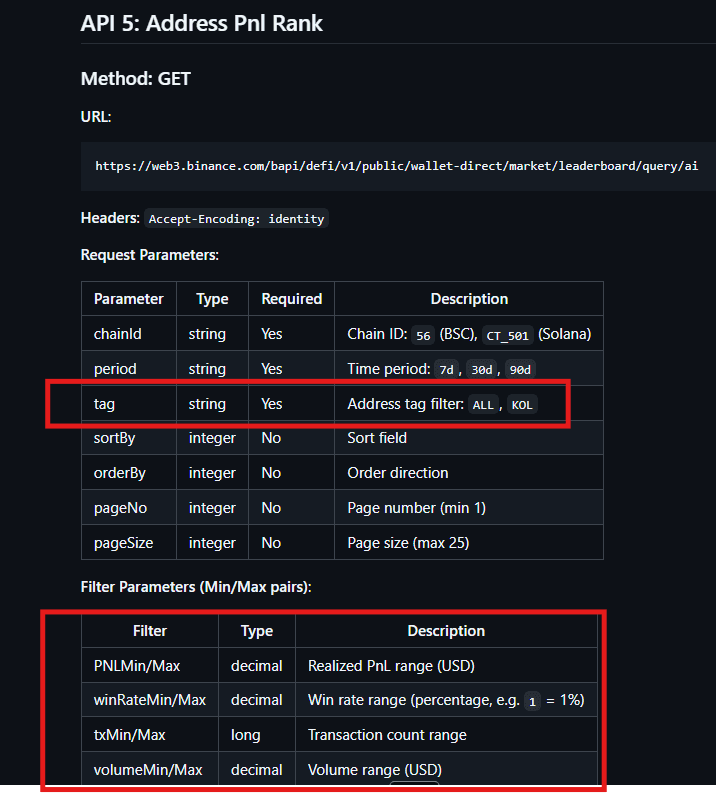
The main parameter is the tag = KOL which can help us narrow down to research only KOL labelled wallets.
With the tag parameter, you can always combine using PNLmin/max, winRateMin/Max, txMin/Max, volumeMin/Max - depending on how aggressive/successful you want your potential KOL to be. These parameters also help filter one-hit wonders over the (max) 90D period.
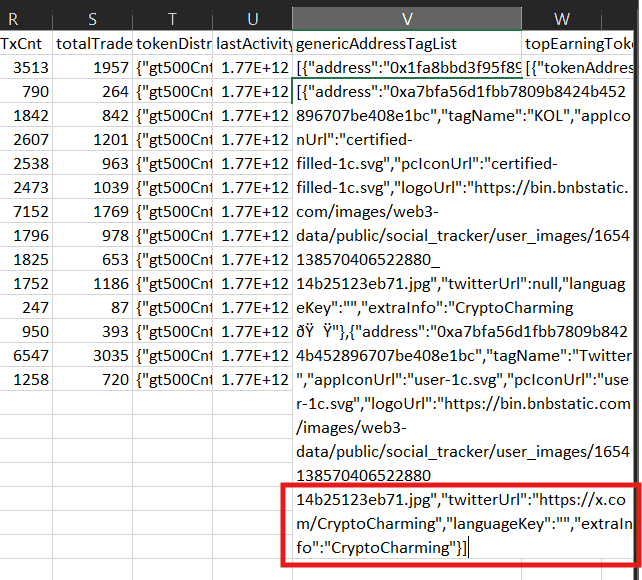
You also want to be able to connect their on-chain activity to social profile on CT. This is where the nested parameter 'twitterUrl' in address field works. Let's try to only pull profiles where on-chain parameters are met AND an X profile information is available.
Load Gemini in your terminal
gemini
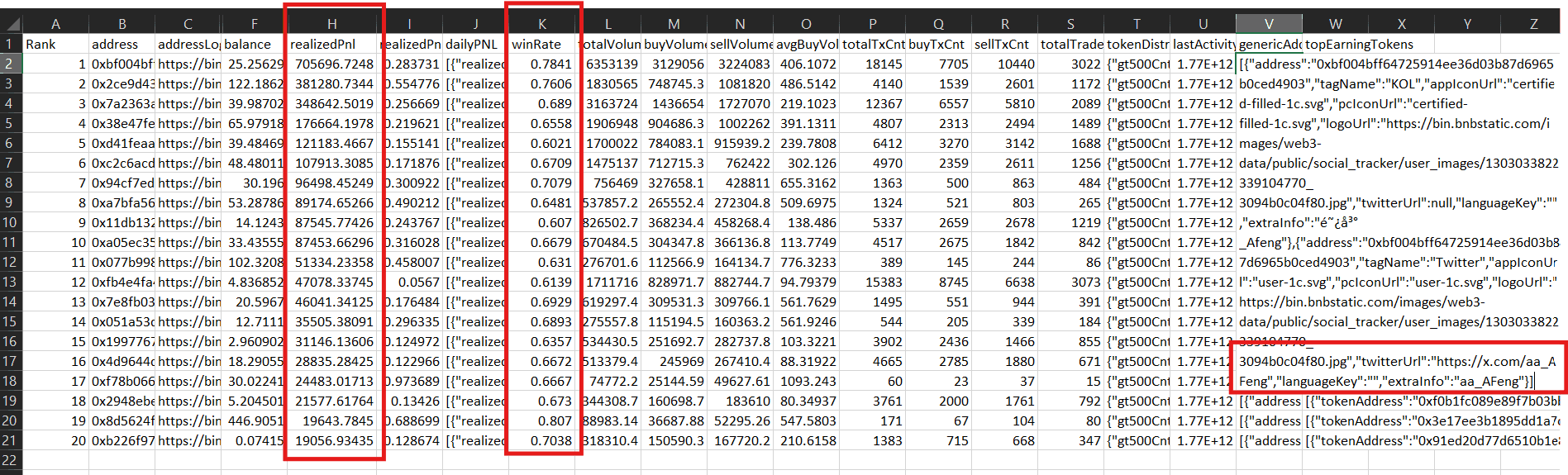
Use address-pnl-rank in binance skills hub to find top 20 KOL addresses on chainId 56 (BNB) for last 30 days where
winRate > 60% and PNLMin = 5000. Sort by PNLMin Descending order.
Only include KOLs where the twitterUrl contains the X profile under genericAddressTagList field.
Include all nested fields under Address column in your data download.
If API is unavailable, do not hallucinate.
Once we have the high-performers, we need to know what they are actually buying versus what they are talking about.
From this top 20 list of KOL, list their topEarningTokens
and filter to show KOL whose  lastActivity timestamp
within 30 days max before today (28th March 2026).
Convert the timestamp to a new column called last active date
and use yyyy/mm/dd format.
List their twitterUrl as a separate column.
Save results as
   top20_kol_pnl_filtered_active_users.csv
You can now visualize the topEarningTokens in a Python chart created while staying inside Gemini CLI
List the top 10 most popular topEarningTokens along with the total pnl made on these tokens.
Create a Python matplotlib chart
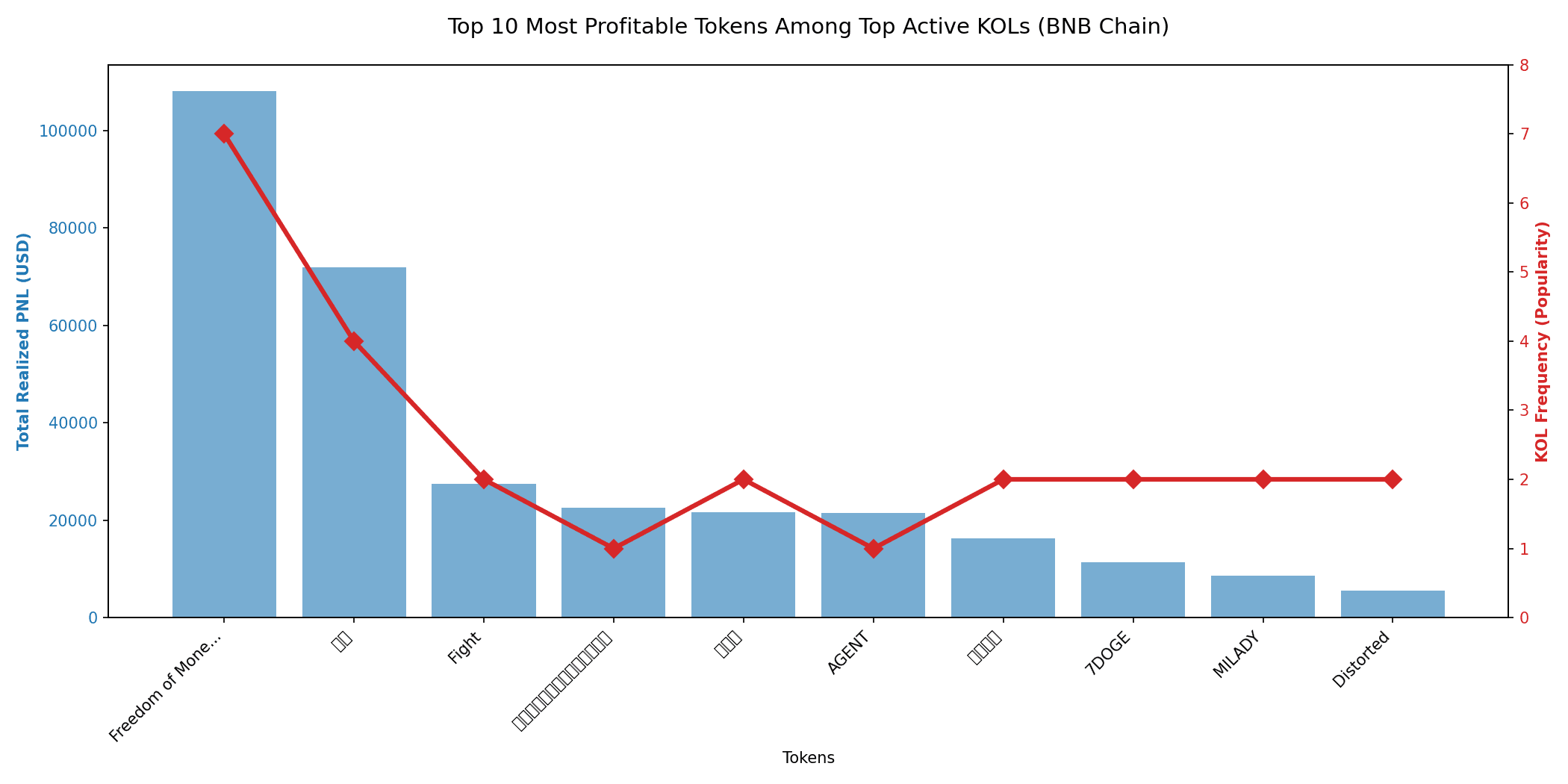
The above is obviously one use case. You can play around with the parameters based on your needs. Once you have a list of KOLs, you can cross-reference their on-chain activity through this API and match the two lists to see how the KOL profile stacks up on social + on-chain performance.
Related post: Binance Skills Hub use case: Matching social hype on tokens vs smart money inflow https://scalolabs.com/blog/web3-analytics/social-hype-smart-money-ai-pipeline-binance-skills-hub-api-gemini-cli