Social Hype vs. Smart Money: AI Analytics with Binance & Gemini CLI
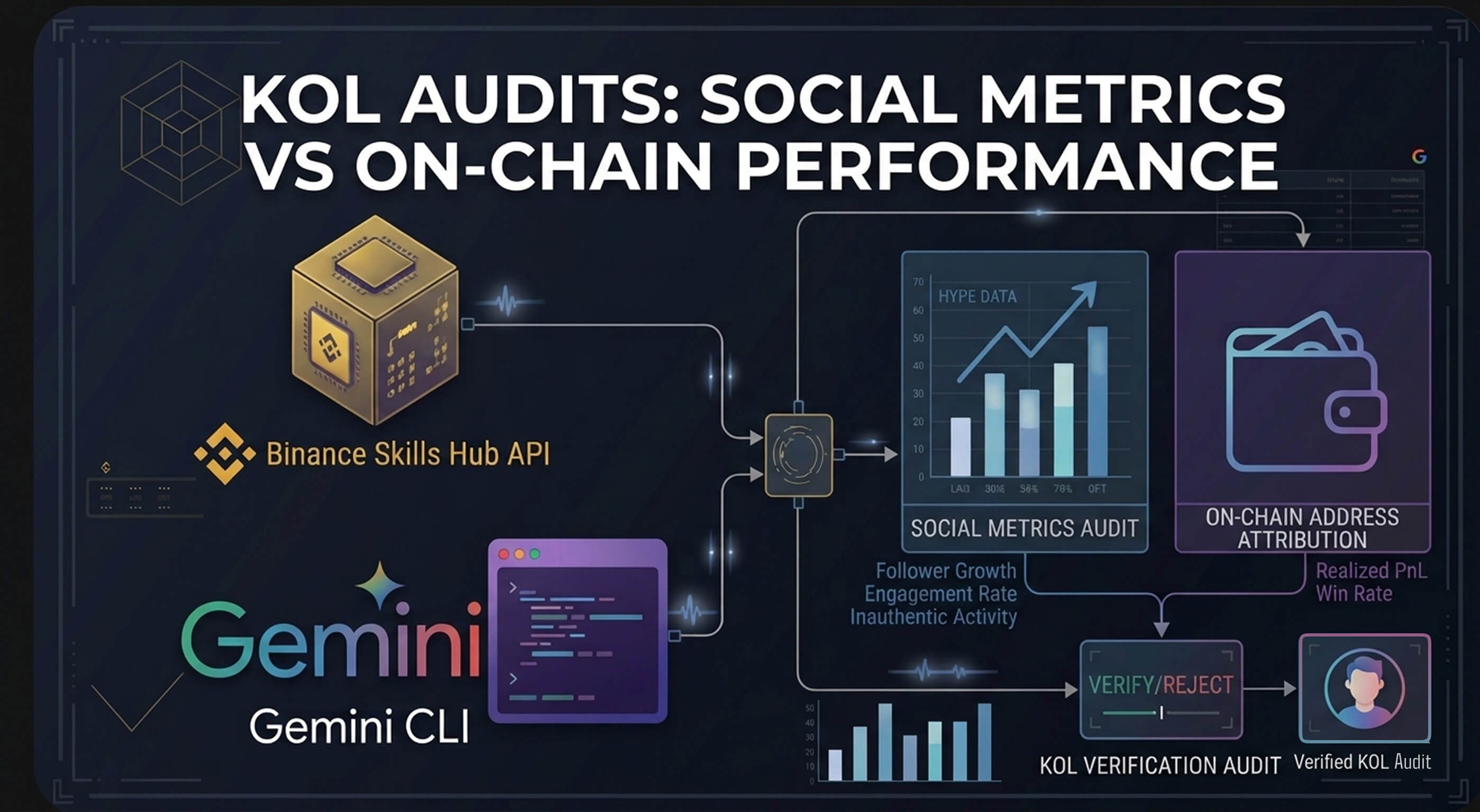
To identify high-conviction crypto trends, marketers must bridge the gap between "Social Hype" and "Smart Money Inflow." By using the Binance Skills Hub integrated with Gemini CLI, you can automate this cross-referencing process locally. This "Agentic" workflow allows you to query real-time sentiment on top tokens, verify it against institutional capital movement, and generate Python-based visual charts directly from your terminal; bypassing the data limitations of standard web-based AI tools.
How to setup Binance Skills Hub in Gemini CLI?
https://scalolabs.com/blog/web3-analytics/agentic-crypto-analytics-binance-skills-gemini-cli-setup
Once done, continue reading.
We will be using a combination of 2 APIs here in Gemini in this order:
- Social hype leaderboard to query tokens that match our criteria https://github.com/binance/binance-skills-hub/blob/main/skills/binance-web3/crypto-market-rank/SKILL.md#api-1-social-hype-leaderboard
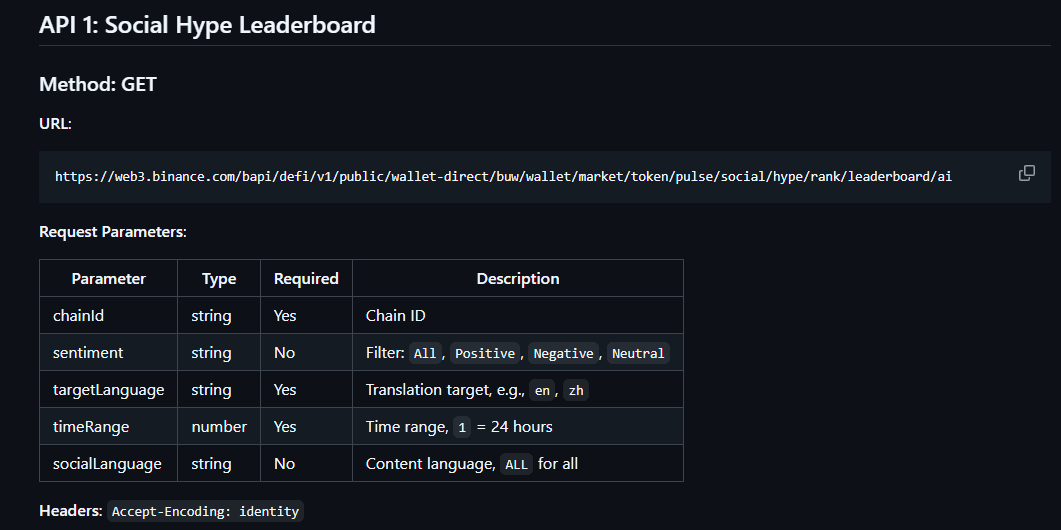
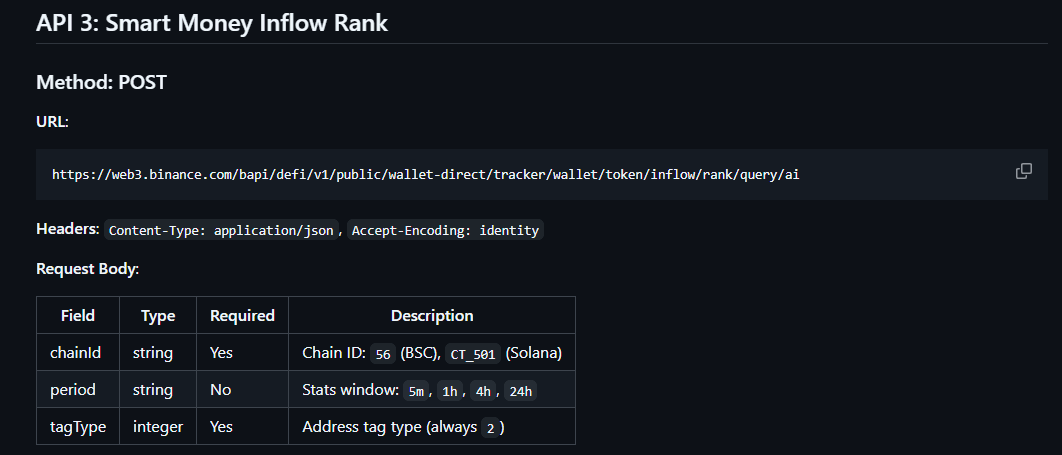
- Run those same tokens against the Smart Money inflow api to identify actual demand for them from smart money users https://github.com/binance/binance-skills-hub/blob/main/skills/binance-web3/crypto-market-rank/SKILL.md#api-3-smart-money-inflow-rank
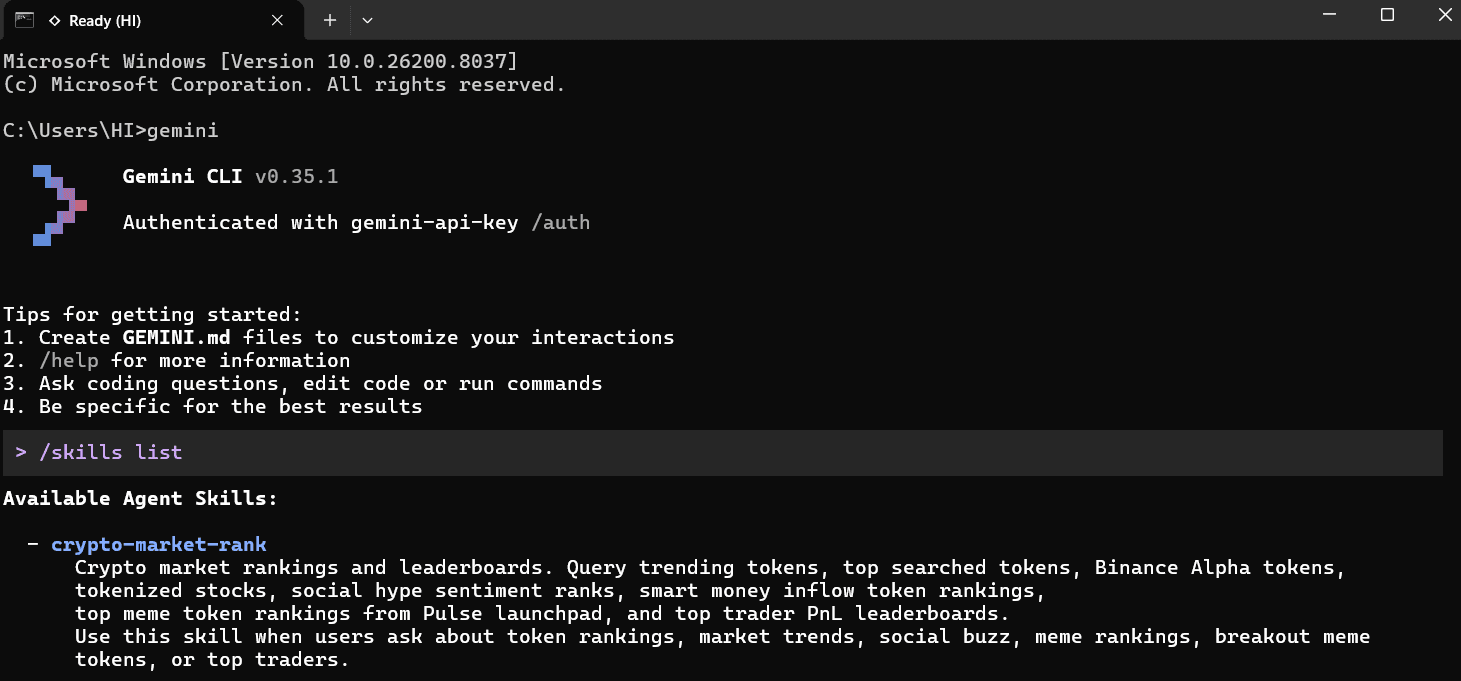
Let's start by opening Gemini CLI in our terminal (in Windows, just search for 'cmd')
gemini
Check your downloaded skills
/skills list
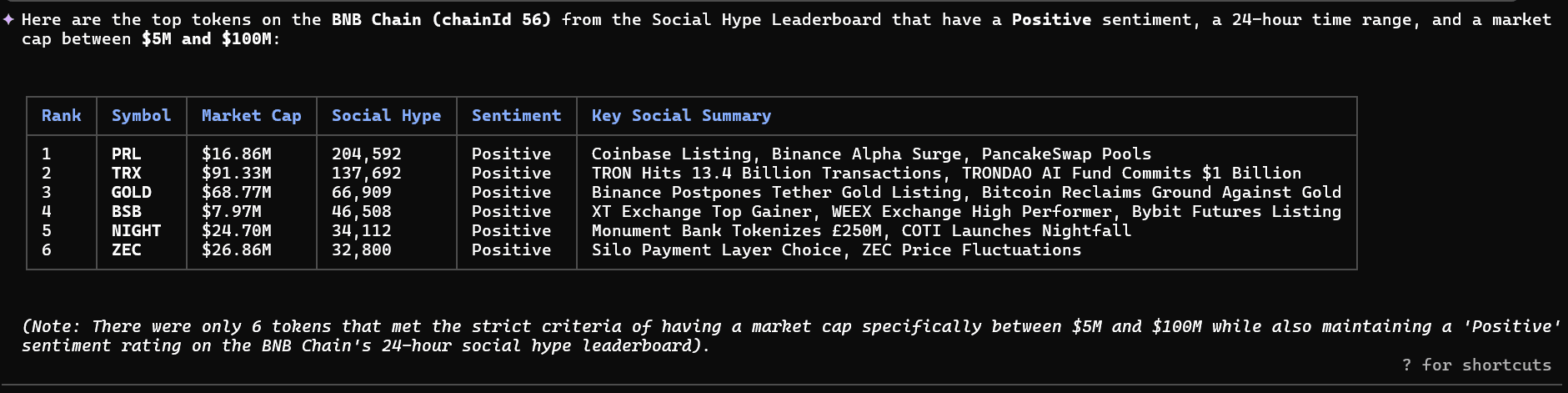
Step 1: Querying Social Hype API for top tokens
We start by scanning for "Social Hype." This skill doesn't just look at volume; it analyzes sentiment (Positive, Negative, Neutral) and provides a brief summary of why a token is trending.
The Command in Gemini CLI:
"Use the crypto-market-rank skill to find the Social Hype Leaderboard for chainId 56 (BNB).
Filter for 'Positive' sentiment and timeRange 1.
Show top 10 tokens with a marketcap between $5M and less than $100M"
Step 2: The "Smart Money" Reality Check
Hype is easy to manufacture; capital inflow isn't. The next step is to verify if the "Smart Money" (wallets with high historical PnL and institutional-grade volume) is actually buying the hype. The Command in Gemini CLI:
"Now, check the Smart Money Inflow Rank for chainId 56 (BNB) over the last 24h.
Cross-reference this with the top 6 tokens from our social hype list."
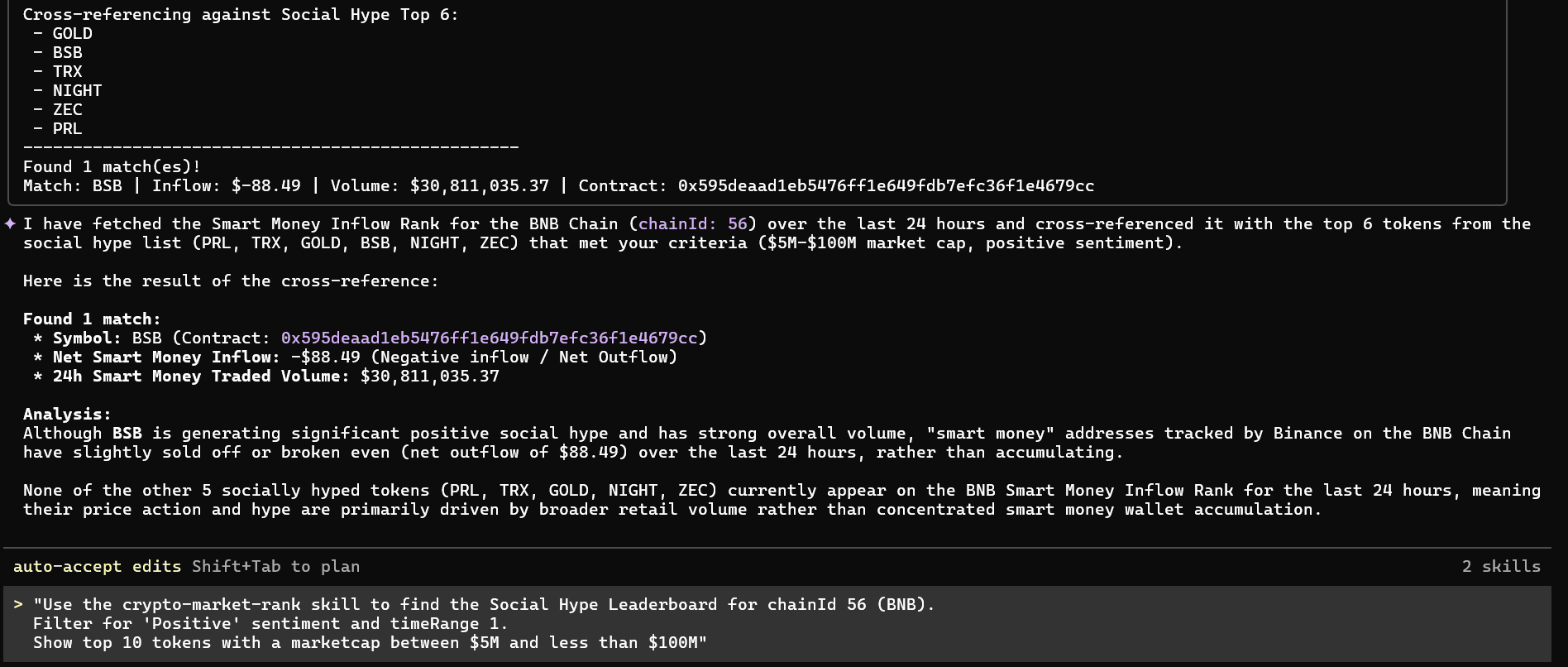
What to look for: You are searching for the Inflow Index. If a token is #1 on social media but has negative Smart Money Inflow, the "crowd" is likely being used as exit liquidity. If both are rising, you have a high-conviction marketing lead.
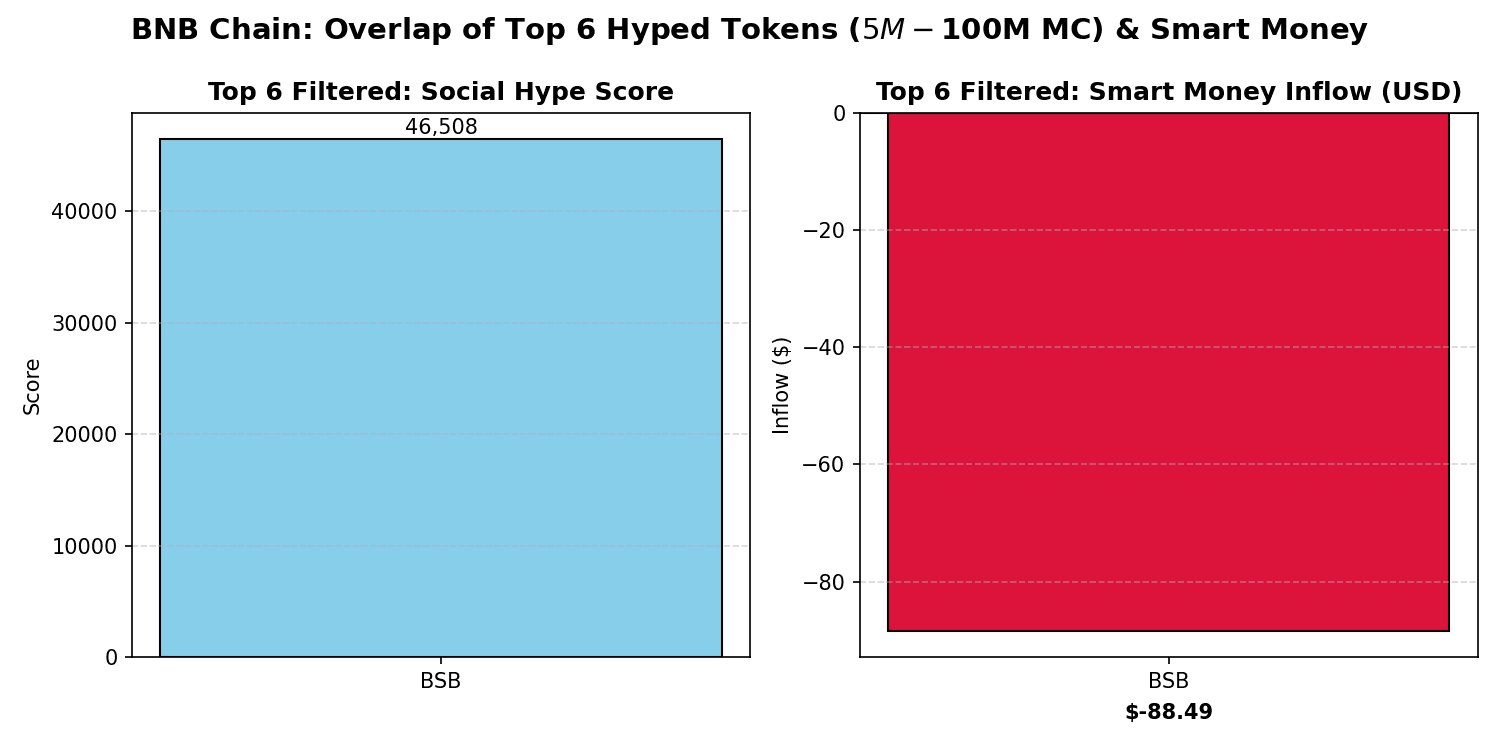
Step 3: Auto-Generated Visuals for Reports Instead of manually inputting data into Excel, you can command Gemini to handle the data science. The Command in Gemini CLI:
"Take the overlap of high-hype and high-inflow tokens from our social hype vs smart money inflow overlap tokens on bnb. Write a Python script using Matplotlib to create a side-by-side comparison chart. Save it as 'market_analysis.png' and open it."
In seconds, a professional chart pops up on your screen. You've just gone from raw blockchain data to a report-ready asset without writing a single line of code.
Why This is the Future of Marketing Analytics The ability to find the "pulse" of a community before it becomes mainstream while also knowing about smart money movement is the ultimate competitive advantage.