10X Your GTM Debugging With Xoot DataLayer Replay Tool
Anybody who has worked with complex custom GTM setups understands that debugging/QA is a huge phase and V1 of implementations usually require tweaks based on feedback.
I recently came across a recent DataLayer tool that's a massive time save for implementation analysts: Xoot DataLayer Replay. Two features that immediately stood out:
-
Watch the DataLayer replay as the events roll in along with their timestamps [down to the second]
-
Amend an existing DataLayer event to understand how the GTM setup behaves to this change.
Editing DataLayer structures can be a massive timesaver as it lets you test in real-time and more importantly, speeds up feedback to change exactly whatâÂÂs required to be in sync with your GTM setup.
https://xoot.uk/datalayer-replay
As a test, I tried it on a test landing page with an event called 'wallet_connected'. https://scalo-testing.vercel.app/
HereâÂÂs the existing DataLayer event:
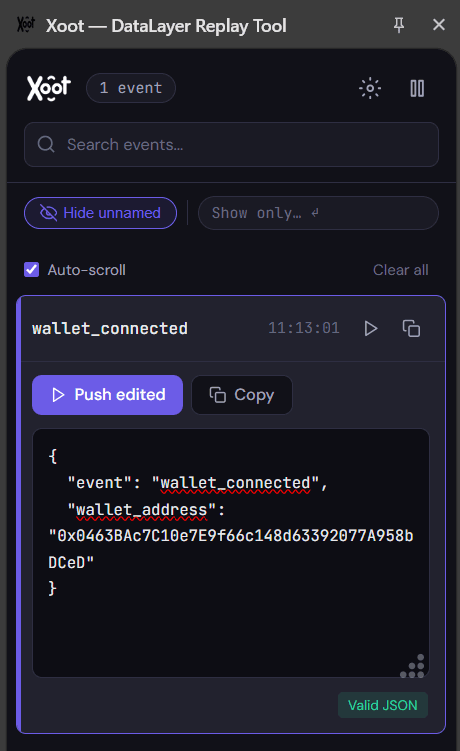
Now, let's tweak the DataLayer and push the same event with a new variable called 'xoot_test_value' and the value being 'xoot_test_event_fired'
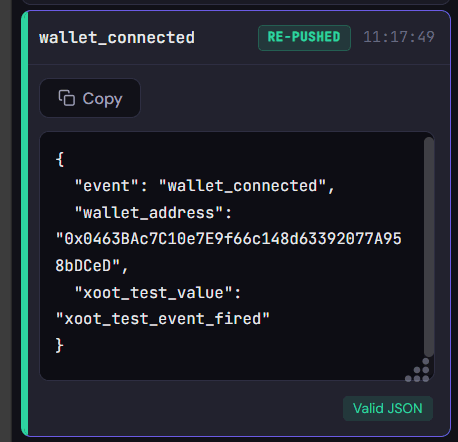
By setting up a GTM DataLayer variable and GA event to capture this, we can see the tag firing along with value being captured in parameters.
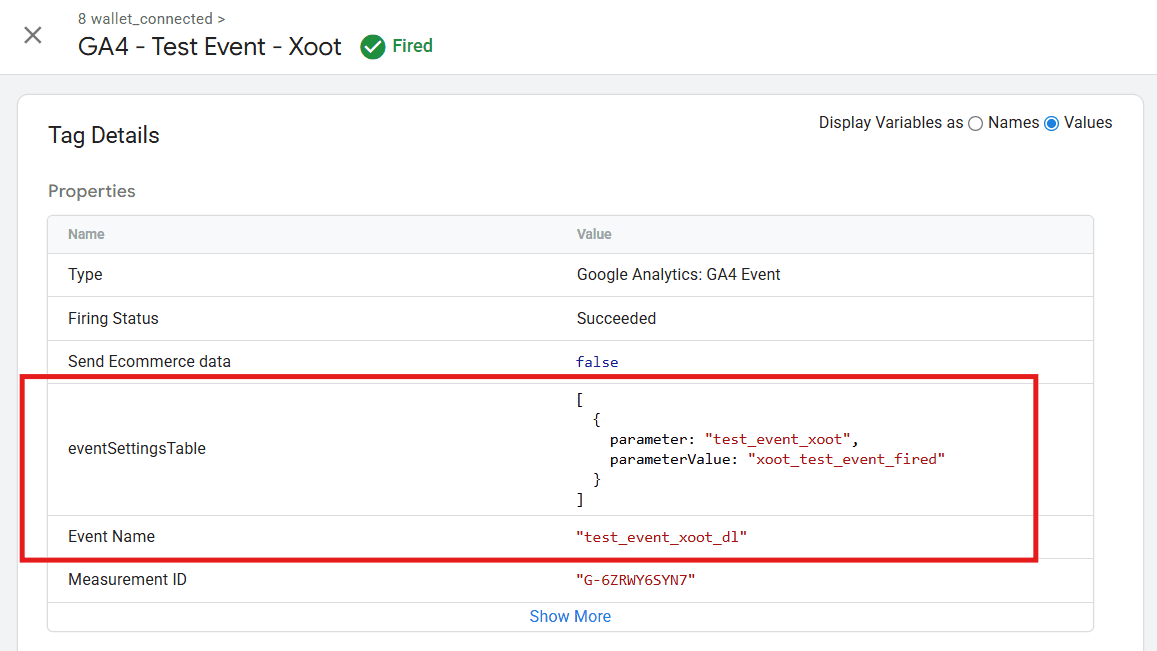
While this is just one example of what's possible with the tool, this can be a sure-fire way [especially in e-commerce implementations] to fix GTM setups and/or fix DataLayer structures to match your needs.
Links for the Chrome extension and product website are above. Give it a try!